OpenCLI: Turn Websites into a CLI for Agents
There are two common ways to put an agent on the web: write a scraper, or let a multimodal model watch the browser and click.
The first is expensive to maintain. Every site needs its own login handling, anti-bot workarounds, and page-structure updates. The second is slow and expensive per step: screenshot, recognize, reason. OpenCLI takes a third path: turn the website into a CLI.
The project is jackwener/OpenCLI. Its goal is to turn websites, browser sessions, Electron apps, and local tools into deterministic interfaces that both humans and agents can use. The main ideas:
- Reuse the browser session: no copying cookies, hand-crafting headers, or hardcoding credentials into scripts.
- Run commands in the local browser: the CLI command itself does not go through an LLM. If you don’t analyze the output, runtime inference cost is zero.
- Structured output: Markdown, CSV, and JSON, ready for a knowledge base or a data pipeline.
- Deterministic: the same command returns the same structure, so it composes with pipes, scripts, and CI/CD.
The biggest difference from “let the model drive the browser” is that the CLI command runs directly in the local browser and does not involve model inference. The model decides what to search, download, and organize; the command does the execution.
OpenCLI moves fast. The commands and UI below are from the version I used. If something doesn’t match, check the official README instead of forcing an old tutorial.
Install and connect
OpenCLI installs through npm and needs Node.js >= 20.18.1:
node --version
npm install -g @jackwener/opencli
Then install the browser bridge extension. OpenCLI uses a lightweight extension to connect to Chrome/Chromium and reuse your existing login state. You can install it from the Chrome Web Store or load an unpacked extension manually.
Check the connection:
opencli doctor
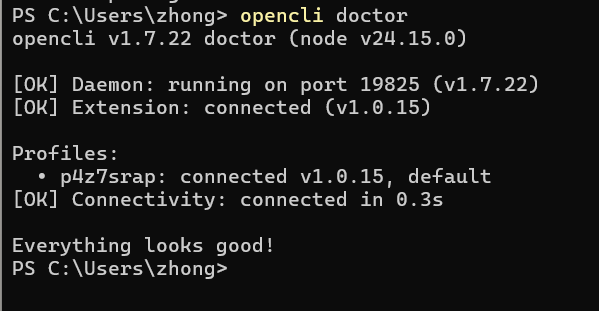
If you have the extension in multiple browsers or Chrome profiles, the terminal will ask you to pick one. Once connected, run opencli list to see the available commands and sites.
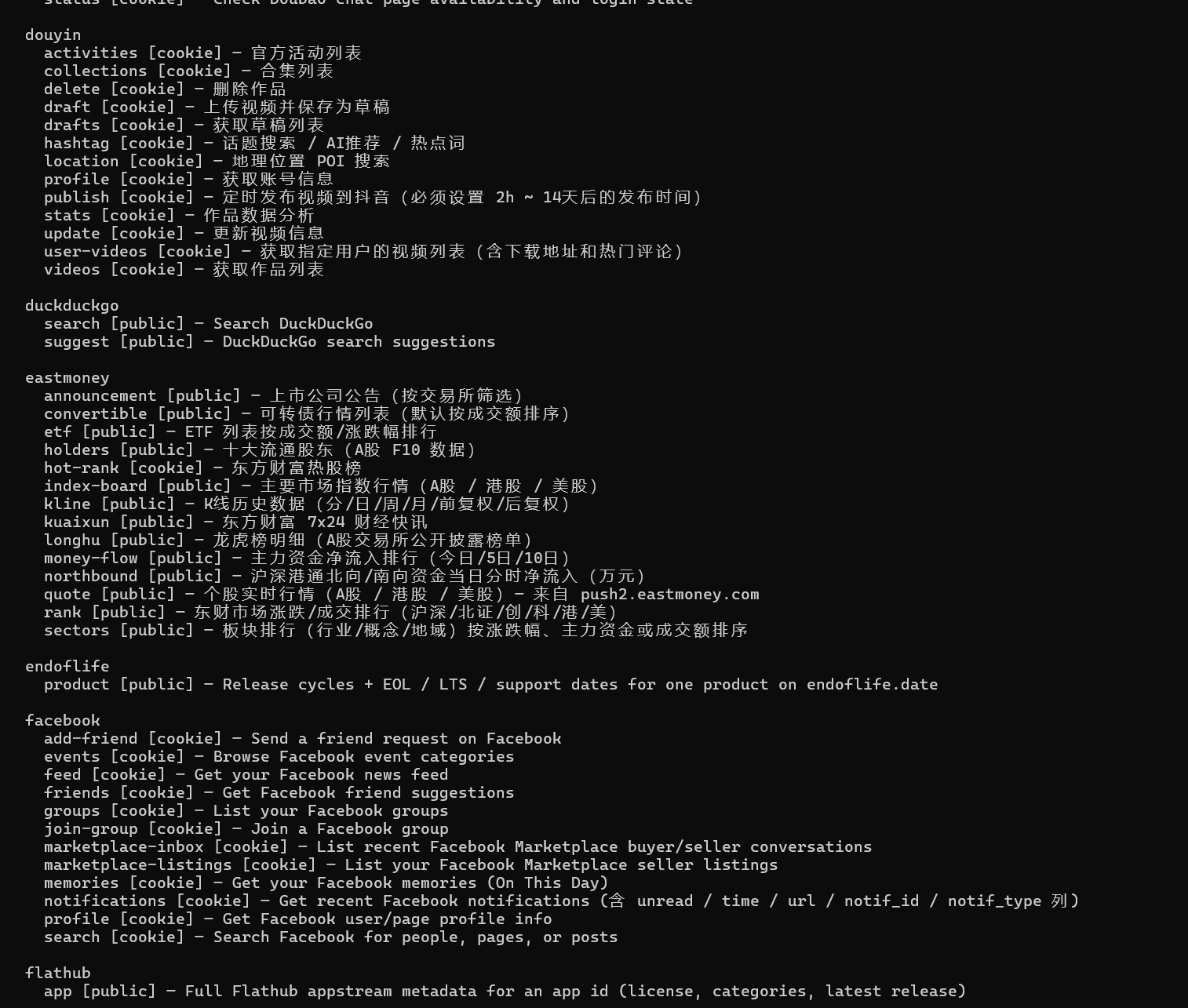
Common commands
Commands vary slightly between versions. These are the ones I use most:
# List every command
opencli list

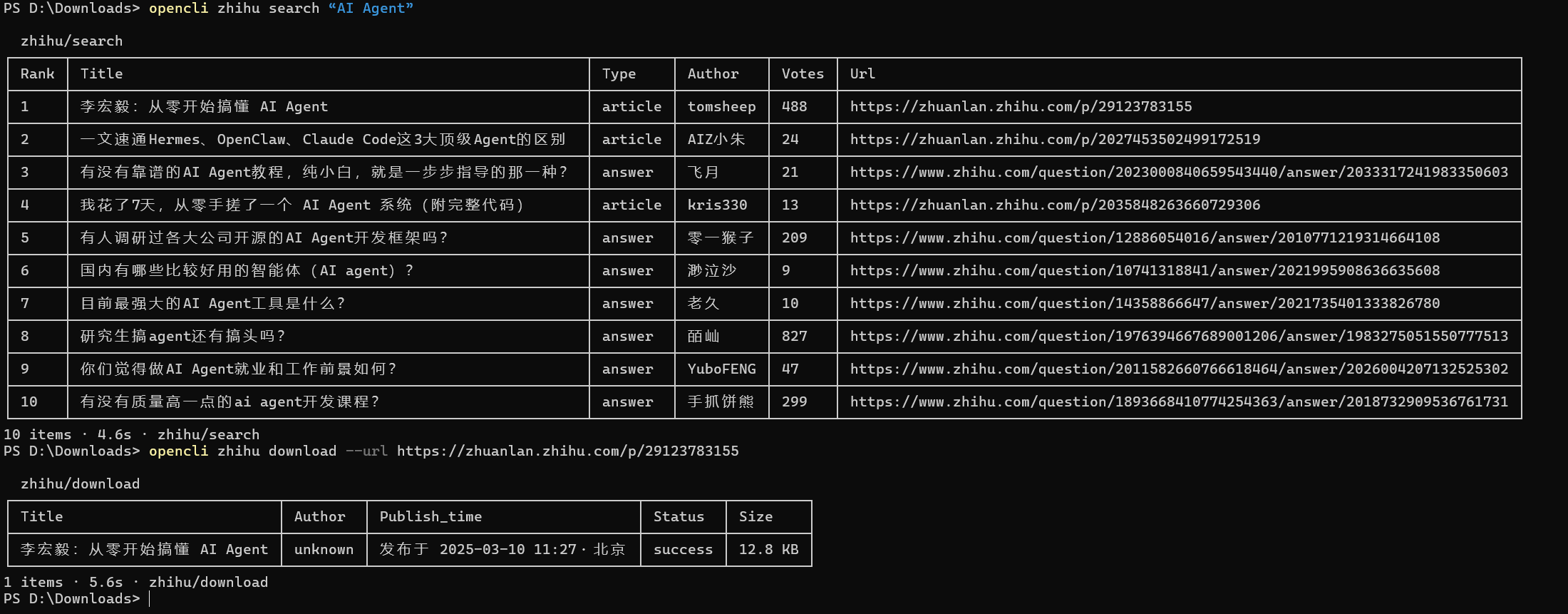
# Search and download Zhihu articles
opencli zhihu search "AI Agent"
opencli zhihu download --url "article URL" --output ./zhihu

# Download a WeChat public account article
opencli weixin download --url "https://mp.weixin.qq.com/s/xxxxxxxx"
Downloads go to the current terminal directory by default. --output sets a different directory. Articles are usually exported as Markdown, which makes them easy to organize later.
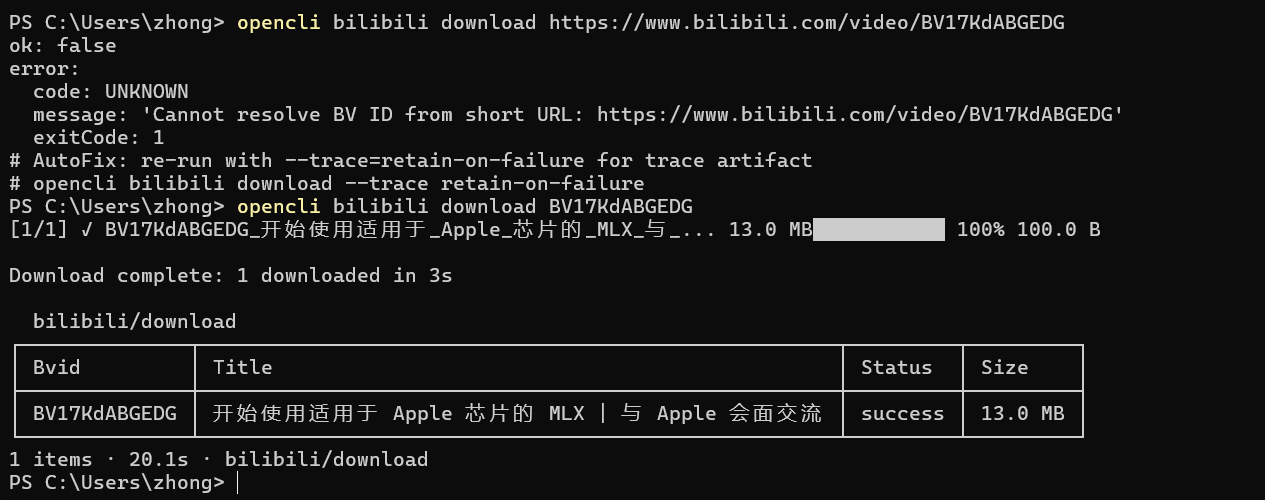
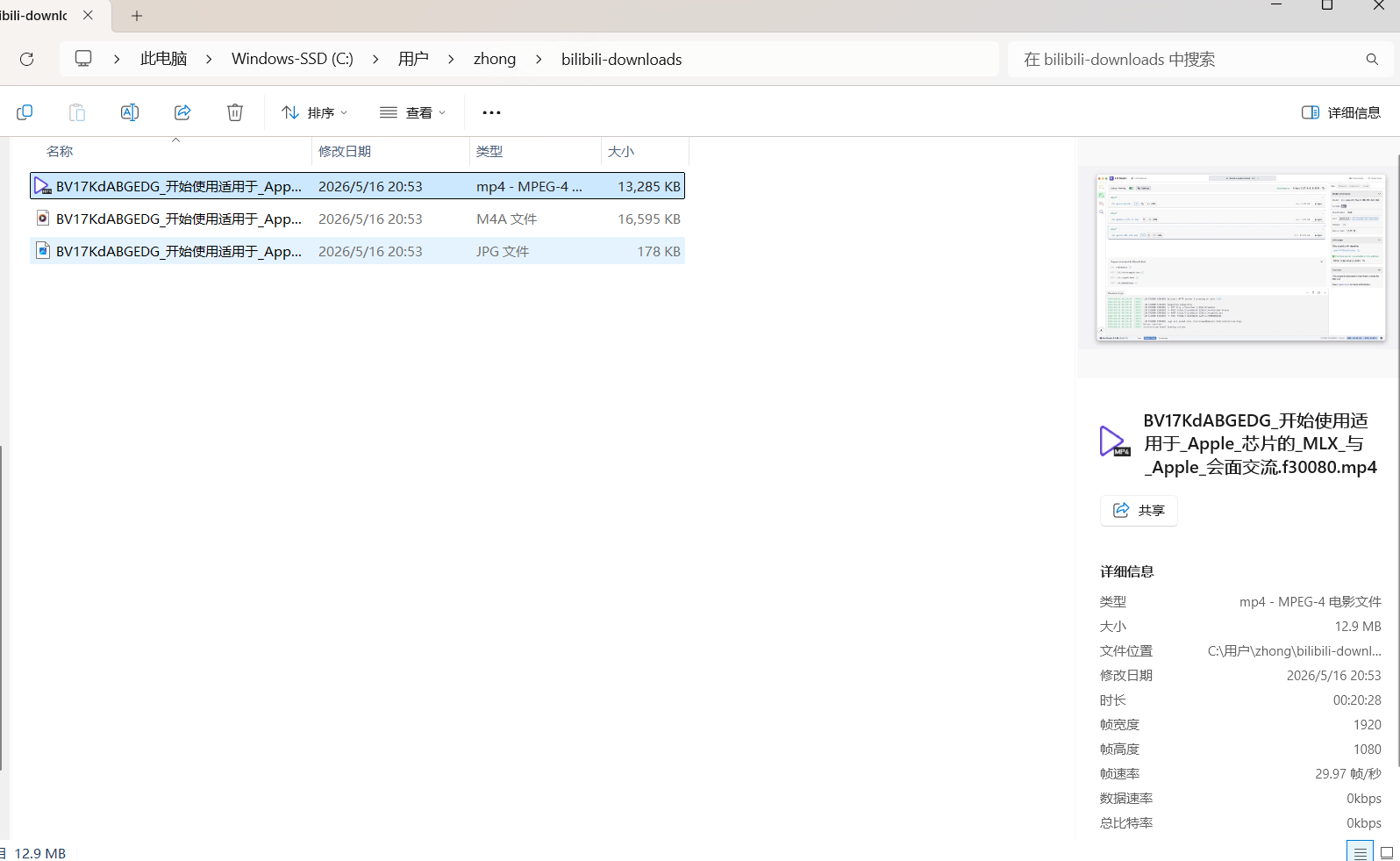
Video downloads need yt-dlp first. Because OpenCLI reuses your login state, it can often get a higher resolution than an anonymous download. For Bilibili, the command takes the BV ID, not the full URL:
opencli bilibili download BV17KdABGEDG
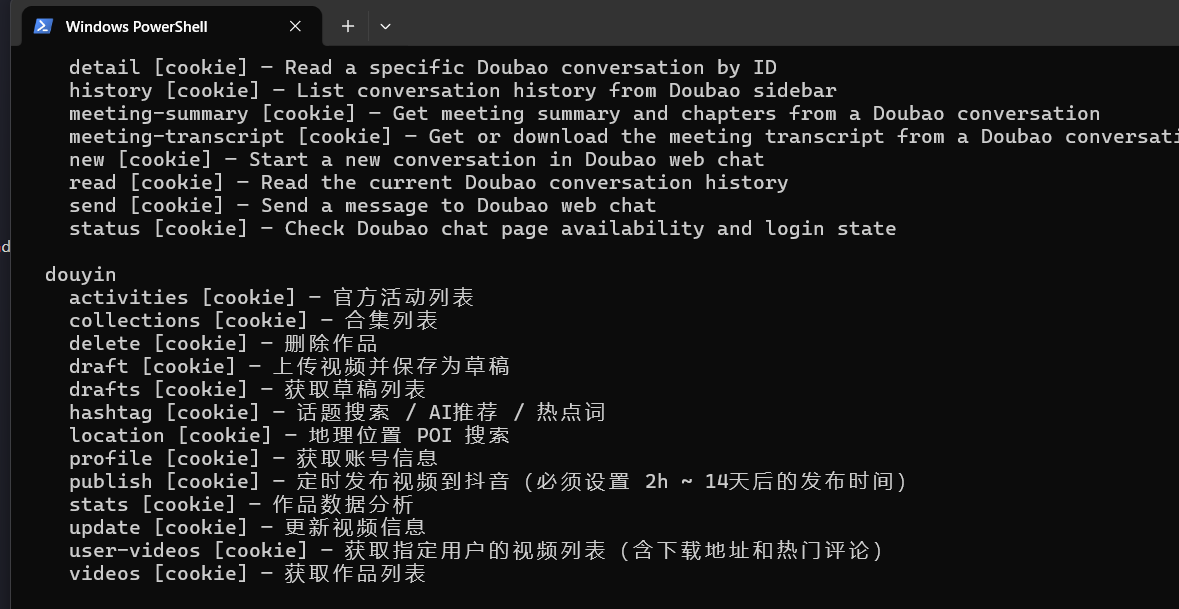
Some Douyin videos have no download button, but OpenCLI may still be able to fetch them. For a specific user, use the sec_id from the profile URL, not the Douyin handle. Image-text posts are still only partially supported; check your installed version for the current behavior.
Exporting WeChat chats
WeChat desktop has a separate wx-cli:
npm install -g @jackwener/wx-cli
The first run needs initialization:
wx init
It finds the WeChat data directory and scans the process memory for the database key. This requires administrator privileges, and WeChat must be logged in. After initialization you can inspect sessions and history:
wx session
wx history
OpenCLI is also working on Telegram, Discord, and other chat histories. Putting public and private data in one place is what makes a real “personal information feed” possible.
But this touches privacy boundaries. Decide before you use it: only process your own data, keep it local, and do not bulk-export other people’s messages.
Adapters and desktop apps
OpenCLI ships with adapters for Zhihu, Bilibili, Xiaohongshu, Douban, Tieba, Twitter/X, HackerNews, Pixiv, and more. It can also search Google Scholar and Baidu Scholar. The project advertises 100+ site adapters; the exact number depends on your version.
If a site has no adapter, you can use the opencli-adapter-author skill to have an agent write one:
npx skills add jackwener/opencli --skill opencli-adapter-author
The record command can reverse-engineer a site and generate an adapter for it. opencli plugin install installs adapters other people have already written.
Through CDP, OpenCLI can also drive Electron desktop apps without manual clicking. Cursor’s Composer, the ChatGPT macOS app, Notion page read/write, headless Codex CLI, and Discord desktop messages can all sit behind the same command interface.
A personal information feed
The interesting part of OpenCLI is not any single command. It is that it can participate in an entire information flow.
One habit of mine: when I find a WeChat article worth reading, I forward it to File Transfer, export it to Markdown in bulk with OpenCLI, and let an agent classify, summarize, and tag it. If there are many articles, I can generate a dense HTML digest and click into the ones worth reading in full.
The flow can grow:
- List the public accounts or sites you follow.
- Fetch updates on a schedule.
- Let an agent group, deduplicate, and summarize by topic.
- Write to a local knowledge base or generate a daily reading list.
The token cost is mostly in the analysis step. Fetching itself does not use model inference. Saving and classifying is cheap; deep-summarizing every article is not, so either control the volume or use a subscription instead of pay-per-token API billing.
Literature search
The biggest problem with AI literature search is hallucination. It can invent a title, author, and DOI that look completely plausible.
OpenCLI reduces that risk: let the model generate search terms, then run commands against real sites and download the results. The model only organizes what actually came back. At least the papers exist; the judgment is still yours to make.
A simple flow:
- Have the agent generate keywords in English and Chinese.
- Search Google Scholar, Baidu Scholar, and similar sites with OpenCLI.
- Download PDFs or export metadata.
- Import into Zotero for summaries and notes.
If you don’t want to build the flow yourself, look at skills such as ustc-ai4science/academic-search. Its engineering coverage is limited, but the idea is the same: a built-in search program, with the model handling keywords and organization.
How to read and take notes on what you find is a separate topic.
Limits
OpenCLI is useful, but it is not a universal scraper:
- site adapters break when pages change;
- login state, CAPTCHAs, and rate limits still exist;
- some platforms’ terms of service do not allow automated scraping;
- private-data access and deployment are personal decisions, and you need to assess the compliance and privacy boundary yourself;
- the tool moves quickly, so old commands may not match a new version.
My rule: only process data you have the right to access, keep the rate low, do not bulk-scrape other people’s private information, and do not upload sensitive data to third-party services. The more convenient the tool, the more important it is to draw your own line.
The point of OpenCLI is to pull browser automation away from “let the model guess” and back toward system calls. Agents need more than a smarter brain; they also need better hands.
The LLM thinks and decides. The CLI executes and fetches data.
Enjoy Reading This Article?
Here are some more articles you might like to read next: